MONAI version: 1.5.2
Numpy version: 2.4.2
Pytorch version: 2.9.1+cu128
MONAI flags: HAS_EXT = False, USE_COMPILED = False, USE_META_DICT = False
MONAI rev id: d18565fb3e4fd8c556707f91ac280a2dc3f681c1
MONAI __file__: /home/<username>/miniforge3/envs/biomonai_latest/lib/python3.11/site-packages/monai/__init__.py

Optional dependencies:
Pytorch Ignite version: NOT INSTALLED or UNKNOWN VERSION.
ITK version: NOT INSTALLED or UNKNOWN VERSION.
Nibabel version: 5.3.3
scikit-image version: 0.26.0
scipy version: 1.17.0
Pillow version: 12.1.1
Tensorboard version: NOT INSTALLED or UNKNOWN VERSION.
gdown version: NOT INSTALLED or UNKNOWN VERSION.
TorchVision version: 0.24.1+cu128
tqdm version: 4.67.3
lmdb version: NOT INSTALLED or UNKNOWN VERSION.
psutil version: 7.2.2
pandas version: 3.0.0
einops version: 0.8.2
transformers version: NOT INSTALLED or UNKNOWN VERSION.
mlflow version: NOT INSTALLED or UNKNOWN VERSION.
pynrrd version: NOT INSTALLED or UNKNOWN VERSION.
clearml version: NOT INSTALLED or UNKNOWN VERSION.

For details about installing the optional dependencies, please visit:
    https://docs.monai.io/en/latest/installation.html#installing-the-recommended-dependencies
Construct Pairwise Training Inputs for Restoration
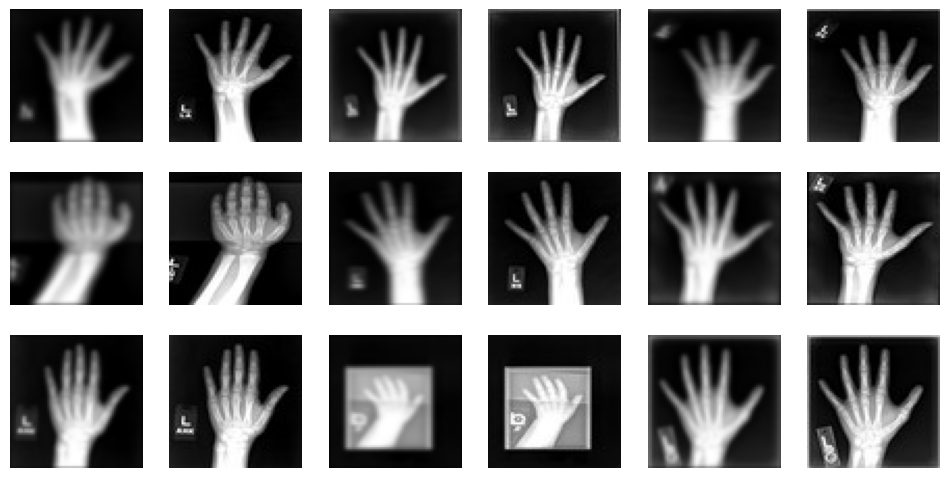
We use the MedNISTDataset object to download and unzip the actual data files. We select the hand X-ray class for this demonstration.
To create training pairs suitable for an image restoration task, we structure our data dictionaries with two keys: "original_hand" and "noisy_hand". Initially, both keys point to the same clean hand X-ray image path.
During the data loading and transformation pipeline: 1. The "original_hand" image serves as the clean, high-quality target image. 2. The "noisy_hand" image, initially identical to the original one, undergoes a series of random synthetic degradations. For this small example, we apply common degradations like Gaussian noise and Gaussian blur (smoothing) specifically to the "noisy_hand". This simulates realistic scenarios where images might be corrupted by sensor noise, motion blur, or varying acquisition settings.
directory ='../_data/'if directory isnotNone: os.makedirs(directory, exist_ok=True)root_dir = tempfile.mkdtemp() if directory isNoneelse directoryprint(root_dir)train_data = MedNISTDataset(root_dir=root_dir, section="training", download=True, transform=None)hand_df = pd.DataFrame([ {"original_hand": item["image"], "noisy_hand": item["image"]}for item in train_data.dataif item["label"] ==4# label 4 is for xray hands])training_df = pd.concat([hand_df[:1000].assign(is_valid=0), hand_df[2000:2500].assign(is_valid=1)], ignore_index=True)print("\nfirst training items: \n", training_df[:3])
../_data/
2026-04-07 23:45:23,708 - INFO - Verified 'MedNIST.tar.gz', md5: 0bc7306e7427e00ad1c5526a6677552d.
2026-04-07 23:45:23,709 - INFO - File exists: ../_data/MedNIST.tar.gz, skipped downloading.
2026-04-07 23:45:23,709 - INFO - Non-empty folder exists in ../_data/MedNIST, skipped extracting.
data_ops = {'fn_col': ['noisy_hand'],'target_col': ['original_hand'],'valid_col': ['is_valid'],'bs': 16,'item_tfms': train_transforms, 'shuffle': True,}data = BioDataLoaders.from_df(training_df, **data_ops)# print length of training, validation, and test datasetsprint('train images:', len(data.train_ds.items), '\nvalidation images:', len(data.valid_ds.items))
train images: 1000
validation images: 500
data.show_batch(figsize=(12, 6))
Create the training pipelines
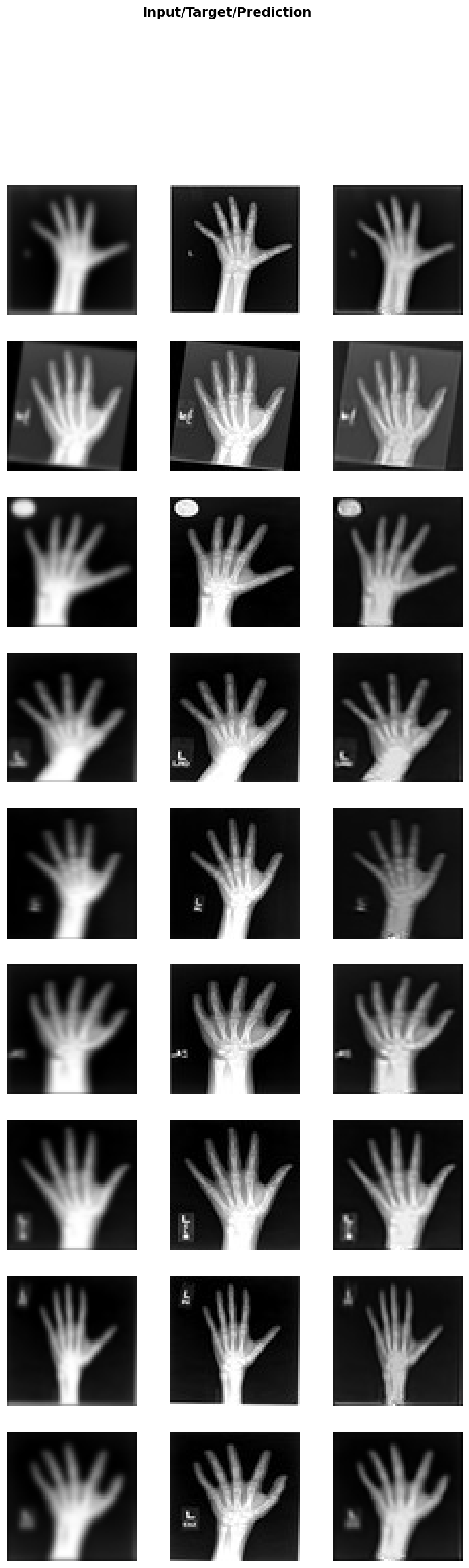
We use a CacheDataset to capture the training pairs and accelerate the training process. The MedNISTDataset provides pairs of “noisy” and “original” images. For demonstration purposes, we treat this as an image restoration problem: the “noisy” image is a degraded version of the “original” reference image (e.g., due to simulated movement or noise). The goal is to restore the noisy image to match the original image.
Model and Training
Now, let’s initialize the Restormer model and train it to restore the noisy images. Since this is just a tutorial, we will initialize a small Restormer model with a small size configuration for quick experimentation:
dim=32: the embedding dimension (feature width) at the first stage.
num_blocks=[2, 2]: 2 encoder and 2 decoder blocks.
num_heads=[2, 2]: 2 attention heads at each stage.
refinement=1: 1 refinement block at the bottleneck.
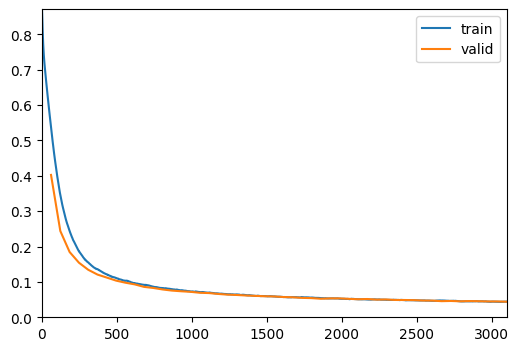
When training image restoration models, common regression losses include MSELoss, PSNRLoss, and SSIMLoss. Here, we use SSIMLoss because it encourages the model to focus on matching the structural similarity (shape and details) of the hands, rather than just restoring absolute pixel values.