a = BioImage.create('./data_examples/example_tiff.tiff')
print(a.shape)torch.Size([1, 96, 512, 512])The module introduces specialized classes to represent various bioimaging data structures, facilitating seamless integration with machine learning workflows.
def MetaResolver(
    args:VAR_POSITIONAL, kwargs:VAR_KEYWORD
):
The MetaResolver class addresses metaclass conflicts, ensuring compatibility across different data structures. This is particularly useful when integrating with libraries that have specific metaclass requirements.
BioImageBase is a function that acts as a base class for biomedical images. It can be used for many things, such as loading image data as PyTorch tensors, displaying 2D slices of 3D images and making transformations on medical images.
def BioImageBase(
    x, affine:torch.Tensor | None=None, meta:dict | None=None, applied_operations:list | None=None,
    _args:VAR_POSITIONAL, _kwargs:VAR_KEYWORD
)->None:
Serving as the foundational class for bioimaging data, BioImageBase provides core functionalities for image handling. It ensures that instances of specified types are appropriately cast to this class, maintaining consistency in data representation.
Metaclass casts x to this class if it is of type cls._bypass_type.
BioImage is a specialization of BioImageBase that is specifically used for 2D and 3D biomedical images. To do so, it directly inherits from that class and then squeezes the image data and allows for transformations to be made there.
def BioImage(
    x, affine:torch.Tensor | None=None, meta:dict | None=None, applied_operations:list | None=None,
    _args:VAR_POSITIONAL, _kwargs:VAR_KEYWORD
)->None:
A subclass of BioImageBase, the BioImage class is tailored for handling both 2D and 3D image objects. It offers methods to load images from various formats and provides access to image properties such as shape and dimensions.
a = BioImage.create('./data_examples/example_tiff.tiff')
print(a.shape)
torch.Size([1, 96, 512, 512])
def BioImageStack(
    x, affine:torch.Tensor | None=None, meta:dict | None=None, applied_operations:list | None=None,
    _args:VAR_POSITIONAL, _kwargs:VAR_KEYWORD
)->None:
Designed for 3D image data, BioImageStack extends BioImageBase to manage volumetric images effectively. It includes functionalities for slicing, visualization, and manipulation of 3D data.
a = BioImageStack.create('./data_examples/example_tiff.tiff', roi=(0, 10))
print(a.shape)
torch.Size([1, 10, 512, 512])
def BioImageProject(
    x, affine:torch.Tensor | None=None, meta:dict | None=None, applied_operations:list | None=None,
    _args:VAR_POSITIONAL, _kwargs:VAR_KEYWORD
)->None:
The BioImageProject class represents a 3D image stack as a 2D image using maximum intensity projection. This is particularly useful for visualizing volumetric data in a 2D format, aiding in quick assessments and presentations.
a = BioImageProject.create('./data_examples/example_tiff.tiff', roi=(0, 10))
a.shape
torch.Size([1, 512, 512])
def BioImageMulti(
    x, affine:torch.Tensor | None=None, meta:dict | None=None, applied_operations:list | None=None,
    _args:VAR_POSITIONAL, _kwargs:VAR_KEYWORD
)->None:
Multi-channel 2D/3D image assuming CDHW layout.
To facilitate seamless integration between tensors and bioimaging data structures, the module provides conversion utilities.
def Tensor2BioImage(
    cls:BioImageBase=BioImage
):
The Tensor2BioImage transform converts tensors into BioImageBase instances, enabling the application of bioimaging-specific methods to tensor data. This is essential for integrating deep learning models with bioimaging workflows.
BioImageBlock Creates a new type of TransformBlock specifically for bioimaging data aside from other types like ImageBlock, CategoryBlock and TextBlock.
def BioImageBlock(
    cls:BioImageBase=BioImage
):
A TransformBlock tailored for bioimaging data, BioImageBlock facilitates the creation of data processing pipelines, including transformations and augmentations specific to bioimaging.
The BioDataBlock class is built on top of the DataBlock’s class which is provided by the fastai library and is used to build datasets and dataloaders from blocks specifically for biomedical data, offering additionally the option to use BioImageBlock as TransformBlock.
def BioDataBlock(
    blocks:list=(<fastai.data.block.TransformBlock object at 0x702dbdd6d890>, <fastai.data.block.TransformBlock object at 0x702dbd256810>), # One or more `TransformBlock`s
    dl_type:TfmdDL=None, # Task specific `TfmdDL`, defaults to `block`'s dl_type or`TfmdDL`
    get_items:function=get_image_files, get_y:NoneType=None, get_x:NoneType=None,
    getters:list=None, # Getter functions applied to results of `get_items`
    n_inp:int=None, # Number of inputs
    item_tfms:list=None, # `ItemTransform`s, applied on an item
    batch_tfms:list=None, # `Transform`s or `RandTransform`s, applied by batch
    splitter:NoneType=None
):
The BioDataBlock class serves as a generic container to build Datasets and DataLoaders efficiently. It integrates item and batch transformations, getters, and splitters, simplifying the setup of data pipelines for training and validation.
The module offers classes to construct data loaders for fastTrainer supporting different dataset backends.
These allow adding new components without changing core code.
def register_task(
    name
):
def register_loader(
    name
):
def register_dataset(
    name, backend
):
def register_source(
    name
):
def route_kwargs(
    func, kwargs
):
Filter a dictionary of kwargs to only include those accepted by func.
Handles: - Explicit parameters - Functions with **kwargs (all extra keys are allowed)
Routes kwargs only to functions that accept them.
def split_prefixed_kwargs(
    kwargs, prefixes:tuple=('train_', 'val_')
):
Split a dictionary of kwargs into multiple groups based on prefixes.
Example: kwargs = { “batch_size”: 32, “train_cache_rate”: 1.0, “val_cache_rate”: 0.5 }
split_prefixed_kwargs(kwargs)
-> {
     "train": {"cache_rate": 1.0, "batch_size": 32},
     "val": {"cache_rate": 0.5, "batch_size": 32}
   }
Rules: - Keys starting with prefix go to that group (prefix removed) - All keys also appear in each group as defaults if no prefix exists
def ReadDictDataset(
    ds, x_keys:str='image', y_keys:str='label'
):
An abstract class representing a :class:Dataset.
All datasets that represent a map from keys to data samples should subclass it. All subclasses should overwrite :meth:__getitem__, supporting fetching a data sample for a given key. Subclasses could also optionally overwrite :meth:__len__, which is expected to return the size of the dataset by many :class:~torch.utils.data.Sampler implementations and the default options of :class:~torch.utils.data.DataLoader. Subclasses could also optionally implement :meth:__getitems__, for speedup batched samples loading. This method accepts list of indices of samples of batch and returns list of samples.
.. note:: :class:~torch.utils.data.DataLoader by default constructs an index sampler that yields integral indices. To make it work with a map-style dataset with non-integral indices/keys, a custom sampler must be provided.
Automatically choose source.
def detect_source(
    data
):
test_eq(detect_source(
    pd.DataFrame({
            "filename": ["img001", "img002", "img003"],
            "mask": ["mask001", "mask002", "mask003"]
    })),
    'dataframe')
test_eq(detect_source(["folder1", "folder2"]), 'list')
test_eq(detect_source("train.csv"), 'csv')
test_eq(detect_source('.'), 'folder')
def build_source(
    data, kwargs:VAR_KEYWORD
):
def DataFrameSource(
    df, # Input dataframe.
    colmap:NoneType=None, # Mapping {"new_column": "existing_column"}.
Only columns in colmap will be treated as paths.
    base_path:NoneType=None, # Base path prepended to files.
    folders:NoneType=None, # Optional subfolder for each new column.
    suffixes:NoneType=None, # Optional suffix for each new column.
    keep_original:bool=False, # If True keep original dataframe columns.
):
A source class for handling data from pandas DataFrames, providing path resolution and column mapping for file-based datasets.
# Example DataFrame
df = pd.DataFrame({
    "filename": ["img001", "img002"],
    "mask": ["mask001", "mask002"]
})

# Configure DataFrameSource
source = DataFrameSource(
    df,
    colmap={"image": "filename", "label": "mask"},
    base_path="data",
    folders={"image": "images", "label": "masks"},
    suffixes={"image": ".nii.gz", "label": ".nii.gz"}
)

# --- Test 1: dataframe output ---
df_out = source.load()

expected_df = pd.DataFrame({
    "image": [
        "data/images/img001.nii.gz",
        "data/images/img002.nii.gz"
    ],
    "label": [
        "data/masks/mask001.nii.gz",
        "data/masks/mask002.nii.gz"
    ]
})

test_eq(
    df_out.reset_index(drop=True),
    expected_df
)

# --- Test 2: single column mapping ---
# Example DataFrame
df = pd.DataFrame({
    "filename": ["img001", "img002"],
    "labels": [0, 1]
})

source_single = DataFrameSource(
    df,
    colmap={"image": "filename"},
    base_path="data",
    folders={"image": "images"},
    suffixes={"image": ".nii.gz"}
)

df_single = source_single.load()

expected_single = pd.DataFrame({
    "labels": [0, 1],
    "image": [
        "data/images/img001.nii.gz",
        "data/images/img002.nii.gz"
    ],
})

test_eq(
    df_single.reset_index(drop=True),
    expected_single
)

# --- Test 3: pass df as-is ---
source_single = DataFrameSource(
    df,
    colmap=None,
    base_path="data",
    folders={"image": "images"},
    suffixes={"image": ".nii.gz"}
)

df_as_is = source_single.load()

test_eq(
    df_as_is.reset_index(drop=True),
    df
)
def CSVSource(
    path, colmap:NoneType=None, base_path:NoneType=None, folders:NoneType=None, suffixes:NoneType=None,
    keep_original:bool=False
):
Initialize self. See help(type(self)) for accurate signature.
def FolderSource(
    root, colmap
):
Initialize self. See help(type(self)) for accurate signature.
import tempfiledef test_foldersource():
with tempfile.TemporaryDirectory() as tmp:
root = Path(tmp)
# Create dataset structure
(root / "images").mkdir()
(root / "masks").mkdir()
(root / "images" / "img001.nii.gz").touch()
(root / "images" / "img002.nii.gz").touch()
(root / "masks" / "img001.nii.gz").touch()
(root / "masks" / "img002.nii.gz").touch()
source = FolderSource(
root,
colmap={
"image": "images",
"label": "masks"
},
)
df = source.load()
expected_df = pd.DataFrame({
"image": [
str(root / "images" / "img001.nii.gz"),
str(root / "images" / "img002.nii.gz"),
],
"label": [
str(root / "masks" / "img001.nii.gz"),
str(root / "masks" / "img002.nii.gz"),
],
})
pd.testing.assert_frame_equal(
df[["image", "label"]].reset_index(drop=True),
expected_df
)
return "FolderSource tests passed"
test_eq(test_foldersource(), "FolderSource tests passed")
def ListSource(
    items, colmap:NoneType=None, base_path:str='.'
):
Initialize self. See help(type(self)) for accurate signature.
items = [
    {"img": "img1", "mask": "mask1"},
    {"img": "img2", "mask": "mask2"}
]

source = ListSource(
    items,
    colmap={"image": "img", "label": "mask"},
    base_path="data"
)

df = source.load()

expected = pd.DataFrame({
    "image": ["data/img1", "data/img2"],
    "label": ["data/mask1", "data/mask2"]
})

test_eq(df.reset_index(drop=True), expected)
def CallableSource(
    items_fn, target_fn:NoneType=None, x_key:str='image', y_key:str='label', colmap:NoneType=None,
    base_path:NoneType=None, folders:NoneType=None, suffixes:NoneType=None, keep_original:bool=False
):
Initialize self. See help(type(self)) for accurate signature.
def items_fn():
    return ["img1", "img2"]

def target_fn(x):
    return x.replace("img", "mask")

source = CallableSource(items_fn, target_fn)

df = source.load()

expected = pd.DataFrame({
    "image": ["img1", "img2"],
    "label": ["mask1", "mask2"]
})

test_eq(df.reset_index(drop=True), expected)
def DataFrameSplitMixin(
    args:VAR_POSITIONAL, kwargs:VAR_KEYWORD
):
Shared logic for splitting DataFrames into MONAI datalists.
def MonaiTransformMixin(
    args:VAR_POSITIONAL, kwargs:VAR_KEYWORD
):
Shared MONAI transform helpers.
def DataBlockBuilder(
    blocks:NoneType=None, dl_type:NoneType=None, get_items:NoneType=None, get_x:NoneType=None, get_y:NoneType=None,
    getters:NoneType=None, n_inp:NoneType=None, transforms:NoneType=None, val_transforms:NoneType=None,
    batch_transforms:NoneType=None, val_batch_transforms:NoneType=None, splitter:NoneType=None, valid_pct:float=0.2,
    seed:NoneType=None, stratify:NoneType=None, train_size:NoneType=None, shuffle:bool=True,
    valid_col:str='is_valid', x_keys:NoneType=None, y_keys:NoneType=None, kwargs:VAR_KEYWORD
):
Shared logic for splitting DataFrames into MONAI datalists.
def test_new_biodatablock():

    df = pd.DataFrame({
        "image": ["img1.nii.gz", "img2.nii.gz", "img3.nii.gz", "img4.nii.gz"],
        "label": ["mask1.nii.gz", "mask2.nii.gz", "mask3.nii.gz", "mask4.nii.gz"],
        "is_valid": [0, 0, 1, 1]
    })

    builder = DataBlockBuilder()
    datablock, _ = builder.build(df)
    assert isinstance(datablock, DataBlock)

    x_col, y_col = builder._infer_columns(df)
    assert x_col == "image"
    assert y_col == "label"

    splitter = builder._resolve_splitter(df)
    train_idx, valid_idx = splitter(df)
    assert set(train_idx) == {0, 1}
    assert set(valid_idx) == {2, 3}

    return "All tests passed"

test_eq(test_new_biodatablock(), "All tests passed")
def MonaiDatasetBuilder(
    transforms:NoneType=None, val_transforms:NoneType=None, splitter:NoneType=None, valid_pct:float=0.2,
    seed:NoneType=None, stratify:NoneType=None, train_size:NoneType=None, shuffle:bool=True,
    valid_col:str='is_valid', kwargs:VAR_KEYWORD
):
Shared logic for splitting DataFrames into MONAI datalists.
def test_monai_datasetbuilder():

    # --- Sample DataFrame ---
    df = pd.DataFrame({
        "image": ["img1.nii.gz", "img2.nii.gz", "img3.nii.gz", "img4.nii.gz"],
        "label": ["mask1.nii.gz", "mask2.nii.gz", "mask3.nii.gz", "mask4.nii.gz"],
        "is_valid": [0, 1, 0, 1],
    })

    # --- Test 1: default split using valid_col ---
    builder = MonaiDatasetBuilder(transforms=None)
    train_ds, valid_ds = builder.build(df)
    assert isinstance(train_ds, MonaiDataset), "train_ds should be MONAI Dataset"
    assert isinstance(valid_ds, MonaiDataset), "valid_ds should be MONAI Dataset"
    assert len(train_ds) == 2, "train_ds should contain 2 items"
    assert len(valid_ds) == 2, "valid_ds should contain 2 items"

    # --- Test 2: custom val_ kwargs ---
    builder2 = MonaiDatasetBuilder(transforms=None, val_transforms=None)
    train_ds2, valid_ds2 = builder2.build(df)
    # MONAI Dataset stores kwargs internally; test a basic attribute
    assert train_ds2[0]["image"] == df.iloc[0]["image"], "train_ds first item image should match df"
    assert valid_ds2[0]["image"] == df.iloc[1]["image"], "valid_ds first item image should match df"

    # --- Test 3: split dataframe ---
    datalist_train, datalist_valid = builder._split_dataframe(df)
    assert isinstance(datalist_train, list)
    assert isinstance(datalist_valid, list)
    assert len(datalist_train) == 2
    assert len(datalist_valid) == 2

    # --- Test 4: custom splitter ---
    custom_splitter = RandomSplitter(valid_pct=0.5, seed=42)
    builder3 = MonaiDatasetBuilder(transforms=None, splitter=custom_splitter)
    train_ds3, valid_ds3 = builder3.build(df)
    assert len(train_ds3) == 2 and len(valid_ds3) == 2, "RandomSplitter with 50% should split evenly"

    return "All MonaiDatasetBuilder tests passed"

# Run the test
test_eq(test_monai_datasetbuilder(), "All MonaiDatasetBuilder tests passed")
def CacheDatasetBuilder(
    splitter:NoneType=None, valid_pct:float=0.2, seed:NoneType=None, stratify:NoneType=None,
    train_size:NoneType=None, shuffle:bool=True, valid_col:str='is_valid', transforms:NoneType=None,
    val_transforms:NoneType=None, cache_num:int=9223372036854775807, cache_rate:float=1.0, num_workers:int | None=1,
    progress:bool=True, copy_cache:bool=True, as_contiguous:bool=True, hash_as_key:bool=False,
    hash_func:Callable[..., bytes]=pickle_hashing, runtime_cache:bool | str | list | ListProxy=False
):
Shared logic for splitting DataFrames into MONAI datalists.
def test_cache_datasetbuilder():

    # --- Sample DataFrame ---
    df = pd.DataFrame({
        "image": ["img1.nii.gz", "img2.nii.gz", "img3.nii.gz", "img4.nii.gz"],
        "label": ["mask1.nii.gz", "mask2.nii.gz", "mask3.nii.gz", "mask4.nii.gz"],
        "is_valid": [0, 1, 0, 1],
    })

    # --- Test 1: default split using valid_col ---
    builder = CacheDatasetBuilder(transforms=None, cache_rate=0.0)
    train_ds, valid_ds = builder.build(df)
    assert isinstance(train_ds, CacheDataset), "train_ds should be CacheDataset"
    assert isinstance(valid_ds, CacheDataset), "valid_ds should be CacheDataset"
    assert len(train_ds) == 2, "train_ds should contain 2 items"
    assert len(valid_ds) == 2, "valid_ds should contain 2 items"

    # --- Test 2: val_ prefixed kwargs ---
    builder2 = CacheDatasetBuilder(transforms=None, num_workers=1, val_num_workers=2)
    train_ds2, valid_ds2 = builder2.build(df)
    # Train uses train cache_rate
    assert train_ds2.num_workers == 1
    # Valid uses val_cache_rate
    assert valid_ds2.num_workers == 2

    # --- Test 3: custom splitter ---
    custom_splitter = RandomSplitter(valid_pct=0.5, seed=42)
    builder3 = CacheDatasetBuilder(transforms=None, cache_rate=0.0, splitter=custom_splitter)
    train_ds3, valid_ds3 = builder3.build(df)
    assert len(train_ds3) == 2 and len(valid_ds3) == 2, "RandomSplitter with 50% should split evenly"

    return "All CacheDatasetBuilder tests passed"

# Run the test
test_eq(test_cache_datasetbuilder(), "All CacheDatasetBuilder tests passed")
Loading dataset: 100%|██████████| 2/2 [00:00<00:00, 8042.77it/s]
Loading dataset: 100%|██████████| 2/2 [00:00<00:00, 41323.19it/s]
def FastaiLoader(
    batch_size:int=64, shuffle:bool=True, # Shuffle training dataset
    num_workers:int=0, # Number of worker processes
    device:NoneType=None, # Target device
    drop_last:bool=False, # Drop last incomplete batch
    pin_memory:bool=False, # Use pinned memory
    persistent_workers:bool=False, # Keep workers alive between epochs
    show_summary:bool=False
):
FastAI-style DataLoader wrapper.
def MonaiLoader(
    batch_size:int=4, # Training batch size
    val_batch_size:NoneType=None, # Validation batch size (defaults to batch_size)
    num_workers:int=4, # Number of workers for train DataLoader
    val_num_workers:NoneType=None, # Number of workers for valid DataLoader (defaults to num_workers)
    shuffle:bool=True, # Whether to shuffle train DataLoader
    val_shuffle:bool=False, # Whether to shuffle valid DataLoader
    x_keys:str='image', y_keys:str='label', show_summary:bool=False, vocab:NoneType=None, kwargs:VAR_KEYWORD
):
MONAI DataLoader wrapper for train/valid datasets.
A task defines:
class Task:

    default_dataset = None

    def transforms(self):
        return None

    def dataset_config(self):
        return {}

    def loader_config(self):
return {}@register_task("segmentation")
class SegmentationTask(Task):
default_dataset = "cache"
def transforms(self):
return [
LoadImaged(keys=["image", "label"]),
EnsureChannelFirstd(keys=["image", "label"]),
ScaleIntensityd(keys="image"),
]@register_task("classification")
class ClassificationTask(Task):
default_dataset = "monaidataset"
def transforms(self):
return [
LoadImaged(keys=["image"]),
EnsureChannelFirstd(keys=["image"]),
ScaleIntensityd(keys="image"),
]
def BioDataLoaders(
    loaders:VAR_POSITIONAL, # `DataLoader` objects to wrap
    path:str | Path='.', # Path to store export objects
    device:NoneType=None, # Device to put `DataLoaders`
):
Unified factory for building training, validation, and test DataLoaders.
This class orchestrates the full pipeline: data → source → dataframe → dataset builder → loader
It supports: - Task-based defaults (transforms, configs) - Multiple backends (fastai, MONAI, etc.) - Optional external validation datasets - Mode-based dataset construction (train / test)
def create(
    data, val_data:NoneType=None, task:NoneType=None, dataset:NoneType=None, backend:NoneType=None,
    kwargs:VAR_KEYWORD
):
Build training + validation DataLoaders.
| Parameter | Type | Default | Description |
|---|---|---|---|
| data | Any | — | Training data |
| val_data | Any | None | Optional validation data |
| task | str | None | Task name |
| dataset | str | None | Dataset builder |
| backend | str | None | Loader backend |
| kwargs | dict | {} | Additional parameters |
The module offers classes to construct data blocks and data loaders, streamlining the preparation of datasets for machine learning models.
The BioDataLoaders class is built on top of fastai’s DataLoaders class, and wraps various data loading methods as well as the use of BioImageBlock as TransformBlock
def from_yaml(
    cls, data_source, yaml_path, show_summary:bool=False
):
Create from yaml_path where yaml_path is a yaml file
def class_from_lists(
    cls, path, fnames, labels, valid_pct:float=0.2, seed:int=None, y_block:NoneType=None, item_tfms:NoneType=None,
    batch_tfms:NoneType=None, img_cls:MetaResolver=BioImage, kwargs:VAR_KEYWORD
):
Create from list of fnames and labels in path
def class_from_csv(
    cls, path, csv_fname:str='labels.csv', header:str='infer', delimiter:NoneType=None, quoting:int=0,
    kwargs:VAR_KEYWORD
):
Create from path/csv_fname using fn_col and label_col
def class_from_df(
    cls, df, path:str='.', valid_pct:float=0.2, seed:NoneType=None, fn_col:str='filename', folder:NoneType=None,
    suff:str='', label_col:str='label', label_delim:NoneType=None, y_block:NoneType=None, valid_col:NoneType=None,
    item_tfms:NoneType=None, batch_tfms:NoneType=None, img_cls:MetaResolver=BioImage, kwargs:VAR_KEYWORD
):
Create from df using fn_col and label_col
def class_from_path_re(
    cls, path, fnames, pat, kwargs:VAR_KEYWORD
):
Create from list of fnames in paths with re expression pat
def class_from_path_func(
    cls, path, fnames, label_func, valid_pct:float=0.2, seed:NoneType=None, item_tfms:NoneType=None,
    batch_tfms:NoneType=None, img_cls:MetaResolver=BioImage, kwargs:VAR_KEYWORD
):
Create from list of fnames in paths with label_func
def class_from_folder(
    cls, path, train:str='train', valid:str='valid', valid_pct:NoneType=None, seed:NoneType=None,
    vocab:NoneType=None, item_tfms:NoneType=None, batch_tfms:NoneType=None, img_cls:MetaResolver=BioImage,
    kwargs:VAR_KEYWORD
):
Create from dataset in path with train and valid subfolders (or provide valid_pct)
def from_csv(
    cls, path, csv_fname:str='train.csv', header:str='infer', delimiter:NoneType=None, quoting:int=0,
    kwargs:VAR_KEYWORD
):
Create from path/csv_fname using fn_col and target_col
def from_df(
    cls, df, path:str='.', valid_pct:float=0.2, seed:NoneType=None, fn_col:int=0, folder:NoneType=None,
    pref:NoneType=None, suff:str='', target_col:int=1, target_folder:NoneType=None, target_suff:str='',
    valid_col:NoneType=None, item_tfms:NoneType=None, batch_tfms:NoneType=None, img_cls:MetaResolver=BioImage,
    target_img_cls:MetaResolver=BioImage, kwargs:VAR_KEYWORD
):
Create from df using fn_col and target_col
def from_folder(
    cls, path, get_target_fn, train:str='train', valid:str='valid', valid_pct:NoneType=None, seed:NoneType=None,
    item_tfms:NoneType=None, batch_tfms:NoneType=None, img_cls:MetaResolver=BioImage,
    target_img_cls:MetaResolver=BioImage, get_items:NoneType=None, kwargs:VAR_KEYWORD
):
Create from dataset in path with train and valid subfolders (or provide valid_pct)
def from_source(
    cls,
    data_source, # The source of the data to be loaded by the dataloader. This can be any type that is compatible with the dataloading method specified in kwargs (e.g., paths, datasets).
    show_summary:bool=False, # If True, print a summary of the BioDataBlock after creation.
    kwargs:VAR_KEYWORD
):
Create and return a DataLoader from a BioDataBlock using provided keyword arguments.
Returns a DataLoader: A PyTorch DataLoader object populated with the data from the BioDataBlock. If show_summary is True, it also prints a summary of the datablock after creation.
def from_monai(
    cls, train_ds, # MONAI training dataset
    val_ds:NoneType=None, # MONAI validation dataset
    x_keys:str='image', # Key(s) used as model inputs
    y_keys:str='label', # Key(s) used as targets
    bs:int=64, # Training batch size
    val_bs:NoneType=None, # Validation batch size (overrides automatic scaling)
    val_bs_factor:int=2, # Multiplier applied to bs when val_bs is None
    shuffle:bool=True, # Shuffle training dataset
    val_shuffle:bool=False, # Shuffle validation dataset (defaults to False)
    show_summary:bool=False, # Print basic dataloader summary
    vocab:NoneType=None, # Optional class names for classification tasks
    dl_kwargs:VAR_KEYWORD
):
Create fastai-compatible DataLoaders from MONAI dictionary datasets.
def from_monai_ds(
    cls, dataset_cls, # MONAI dataset class (Dataset, CacheDataset, etc.)
    train_data, # Training datalist
    train_transform:NoneType=None, # Training transform pipeline
    val_data:NoneType=None, # Optional validation datalist
    val_transform:NoneType=None, # Validation transforms
    dataset_kwargs:NoneType=None, # Extra args for dataset constructor
    val_dataset_kwargs:NoneType=None, # Validation dataset overrides
    dl_kwargs:VAR_KEYWORD
):
Build BioDataLoaders from any MONAI dataset class.
def test_biodataloader(
    dls:DataLoaders, test_data:str | pathlib.Path | pandas.DataFrame | monai.data.dataset.Dataset,
    with_labels:bool=True, csv_header:str='infer', csv_delimiter:NoneType=None, csv_quoting:int=0
):
Test a DataLoader on a set of test_files and return the results as a list of tuples containing the file name and the corresponding input and target tensors.
Functions to retrieve specific data components are provided, aiding in the organization and preprocessing of datasets.
def get_images(
    path:str | pathlib.Path, folders:str | list[str] | None=None, recurse:bool=True, filename_filter:Union=None
)->L:
Get image files from a list of folders or a glob expression.
def get_gt(
    path_gt, # The base directory where the ground truth files are stored, or a file path from which to derive the parent directory.
    gt_file_name:str='avg50.png', # The name of the ground truth file.
):
The get_gt function retrieves ground truth data, essential for supervised learning tasks. It ensures that the correct labels or annotations are associated with each data sample.
This function constructs a path to a ground truth file based on the given path_gt and gt_file_name.
It uses a lambda function to create a new path by appending gt_file_name to the parent directory of the input file, as specified by path_gt.
Returns a callable: A function that takes a single argument (a filename) and returns a Path object representing the full path to the ground truth file. When called with a filename, this function constructs the path by combining path_gt or the parent directory of the filename with gt_file_name.
The get_target function constructs and returns functions for generating file paths to “target” files based on given input parameters. This function is particularly useful for tasks where the target files are stored in a different directory or have a different naming convention compared to the input files.
def get_target(
    path:str, # The base directory where the files are located. This should be a string representing an absolute or relative path.
    same_filename:bool=True, # If True, the target file name will match the original file name; otherwise, it will use the specified prefix.
    same_foldername:bool=False, # If True, the target folder name will match the original folder name; otherwise, it will use the specified prefix.
    target_file_prefix:str='target', # The prefix to insert into the target file name if `same_filename` is False.
    signal_file_prefix:str='signal', # The prefix used in the original file names that should be replaced by the target prefix.
    map_foldername:bool=False, # If True, the target folder name will match the original folder name; otherwise, it will use the specified prefix.
    target_folder_prefix:str='target', # The prefix to insert into the target folder name if `same_foldername` is False.
    signal_folder_prefix:str='signal', # The prefix used in the original folder names that should be replaced by the target prefix.
    relative_path:bool=False, # If True, it indicates that the path is relative to the parent folder in the path where the input files are located.
):
Constructs and returns functions for generating file paths to “target” files based on given input parameters.
This function defines two nested helper functions within its scope:
- `construct_target_filename(file_name)`: Constructs a target file name by inserting the specified prefix into the original file name.
- `generate_target_path(file_name)`: Generates a path to the target file based on whether `same_filename` is set to True or False.
The main function returns the appropriate helper function based on the value of same_filename.
Returns a callable: A function that takes a file name as input and returns its corresponding target file path based on the specified parameters.
The function get_target can be used to look for target files in different folders using either absolute or relative paths:
print(get_target('train_folder/target', same_filename=False)('../signal/signal01.tif'))
print(get_target('target', relative_path=True)('../train_folder/signal/image01.tif'))
train_folder/target/target01.tif
../train_folder/target/image01.tif…and it can look for target files with different names but same numbering:
print(get_target('GT', relative_path=True, same_filename=False, target_file_prefix="image_clean", signal_file_prefix="image_noisy")('train_folder/signal/image_noisy_01.tif'))train_folder/GT/image_clean_01.tifIt also supports more general cases:
print(get_target('GT', relative_path=True, same_filename=False, target_file_prefix="clean", signal_file_prefix="noisy")('train_folder/signal/01_image_noisy_dataset.tif'))train_folder/GT/01_image_clean_dataset.tifprint(get_target('', relative_path=True, map_foldername=True, target_folder_prefix="GT", signal_folder_prefix="signal")('train_folder/signal_01/01_1.tif'))train_folder/GT_01/01_1.tifFor tasks involving unsupervised denoising or noise analysis, get_noisy_pair retrieves pairs of noisy data, enabling the training of models such as N2N.
def get_noisy_pair(
    fn
):
Get another “noisy” version of the input file by selecting a file from the same directory.
This function first retrieves all image files in the directory of the input file fn (excluding subdirectories). It then selects one of these files at random, ensuring that it is not the original file itself to avoid creating a trivial “noisy” pair.
Parameters:
fn (Path or str): The path to the original image file. This should be a Path object but accepts string inputs for convenience.Returns:
Path: A Path object pointing to the selected noisy file.Visualization functions are included to display batches of data and model results, aiding in qualitative assessments and debugging.
show_batch (x:BioImageBase, y:BioImageBase, samples,
            ctxs=None, max_n:int=10, nrows:int=None, ncols:int=None,
            figsize:tuple=None, **kwargs)
The show_batch function visualizes a batch of data samples, allowing users to inspect the input data and verify preprocessing steps.
Returns: List[Context]: A list of contexts after displaying the images and labels.
| Type | Default | Details | |
|---|---|---|---|
| x | BioImageBase | The input image data. | |
| y | BioImageBase | The target label data. | |
| samples | List of sample indices to display. | ||
| ctxs | NoneType | List of contexts for displaying images. If None, create new ones using get_grid(). |
|
| max_n | int | 10 | Maximum number of samples to display. |
| nrows | int | None | Number of rows in the grid if ctxs are not provided. |
| ncols | int | None | Number of columns in the grid if ctxs are not provided. |
| figsize | tuple | None | Figure size for the image display. |
| kwargs | Additional keyword arguments. |
show_results (x: BioImageBase, y: BioImageBase, samples,
              outs, ctxs=None, max_n=10, figsize=None, **kwargs)
After model inference, show_results displays the model’s predictions alongside the ground truth, facilitating the evaluation of model performance.
Returns:
List[Context]: A list of contexts after displaying the images and labels.
| Type | Default | Details | |
|---|---|---|---|
| x | BioImageBase | The input image data. | |
| y | BioImageBase | The target label data. | |
| samples | List of sample indices to display. | ||
| outs | List of output predictions corresponding to the samples. | ||
| ctxs | NoneType | List of contexts for displaying images. If None, create new ones using get_grid(). |
|
| max_n | int | 10 | |
| figsize | tuple | None | Figure size for the image display. |
| kwargs | Additional keyword arguments. |
def split_dataframe(
    input_data:Union, # CSV file path or pandas DataFrame.
    train_fraction:float=0.8, # Fraction of samples for training.
    valid_fraction:float=0.1, # Fraction of samples for validation.
    split_column:Optional=None, # Column containing predefined split labels ("train", "test", "validation").
    stratify:bool=False, # Stratify random splits by split_column.
    add_is_valid:bool=False, # Add an `is_valid` column to the train set instead of saving a separate validation file.
    train_path:str='train.csv', test_path:str='test.csv', valid_path:str='valid.csv',
    data_save_path:Optional=None, # Directory where CSV files will be saved.
    random_seed:Optional=None, shuffle:bool=True
)->tuple:
Split a dataset into train, test and optional validation sets.
def add_columns_to_csv(
    csv_path, # Path to the input CSV file
    column_data, # Dictionary of column names and values to add. Each value can be a scalar (single value for all rows) or a list matching the number of rows.
    output_path:NoneType=None, # Path to save the updated CSV file. If None, it overwrites the input CSV file.
):
Adds one or more new columns to an existing CSV file.
def build_df(
    filenames:Union, # List of file names to process
    functions:Callable, # One or more functions that take a filename and return a string (e.g., for generating target paths).
    function_names:Union=None, # Optional column names for the function outputs. If None, function.__name__ is used.
    filename_col:str='filename', # Column name for the input filenames.
    output_csv:Union=None, # If provided, saves the full dataframe to this CSV path.
    split:bool=False, # If True, applies split_dataframe to the generated dataframe.
    split_kwargs:Optional=None, # Keyword arguments passed to split_dataframe.
)->Union:
Create a DataFrame from filenames and one or more transformation functions.
def build_df_from_folder(
    path:str | pathlib.Path,
    functions:Callable, # One or more functions that take a filename and return a string (e.g., for generating target paths).
    function_names:Union=None, # Optional column names for the function outputs. If None, function.__name__ is used.
    output_csv:Union=None, # If provided, saves the full dataframe to this CSV path.
    subfolders:str | list[str] | None=None, recurse:bool=True, filename_filter:Union=None,
    split:bool=False, # If True, applies split_dataframe to the generated dataframe.
    split_kwargs:Optional=None, # Keyword arguments passed to split_dataframe.
)->Union:
Create a DataFrame from filenames and one or more transformation functions.
The module provides functions for data preprocessing, including patch extraction and dimensionality reduction, essential for preparing data for machine learning models.
def extract_patches(
    data:ndarray, # Input array (n-dimensional)
    patch_size:tuple, # Patch size per dimension
    overlap:float | tuple, # Overlap fraction(s)
    transforms:Optional=None, # Optional list of transforms
):
Extract n-dimensional patches from input data. Optionally applies transforms to the full data before extracting patches.
The extract_patches function divides images into smaller patches, which is useful for training models on localized regions of interest, especially when dealing with high-resolution images.
data = np.random.rand(100, 100, 3)  # Example 3D data
patch_size = (64,64,2)
overlap = 0.5
patches = extract_patches(data, patch_size, overlap)
print("Number of generated patches:", len(patches))
patches[0].shape
Number of generated patches: 8(64, 64, 2)from bioMONAI.transforms import RandFlip, RandRot90patches = extract_patches(data, patch_size, overlap, transforms=[RandFlip(spatial_dims=3, prob=1.0), RandRot90(prob=1.0)])
print("Number of generated patches:", len(patches))Number of generated patches: 24
def save_patches_grid(
    data_paths, # Path to folder or list of paths to data files (n-dimensional data).
    gt_paths, # Path to folder or list of paths to ground truth (gt) files (n-dimensional data).
    output_folder, # Path to the folder where the HDF5 files will be saved.
    patch_size, # tuple of integers defining the size of the patches.
    overlap, # float (between 0 and 1) defining the overlap between patches.
    use_parent_folder:bool=False, # If True, use the parent folder name of the input files for naming the output HDF5 files.
    threshold:NoneType=None, # If provided, patches with a mean value below this threshold will be discarded.
    squeeze_input:bool=True, # If True, squeeze the input data to remove single-dimensional entries.
    squeeze_patches:bool=False, # If True, squeeze the patches to remove single-dimensional entries.
    csv_output:bool=True, # If True, a CSV file listing all patch paths is created.
    split_dataset:bool=True, # Split dataset into train and test CSV files (e.g., 0.8 for 80% train).
    tfms_before:Optional=None, # List of transforms to apply before extracting patches.
    tfms_after:Optional=None, # List of transforms to apply after extracting patches.
    kwargs:VAR_KEYWORD
):
Loads n-dimensional data from data_paths and gt_paths, generates patches, and saves them into individual HDF5 files. Each HDF5 file will have datasets with the structure X/patch_idx and y/patch_idx.
Parameters: - data_paths: Can be a folder path (string) or a list of file paths to data files - gt_paths: Can be a folder path (string) or a list of file paths to ground truth files
After extracting patches, save_patches_grid saves them in a grid format, facilitating visualization and inspection of the patches.
from bioMONAI.transforms import Blurdata_paths = './data_examples/Confocal_BPAE_B'
# For the sake of simplicity, in this example we use the same folder for ground truth
gt_paths = './data_examples/Confocal_BPAE_B'
output_folder = './_test'
patch_size = (64,64)
overlap = 0
save_patches_grid(data_paths, gt_paths, output_folder, patch_size, overlap, squeeze_input=True, tfms_after=[Blur(ksize=15)])Processing files: 100%|██████████| 2/2 [00:00<00:00, 15.11it/s]'is_valid' column added to train dataframe for validation samples.
Datasets saved to %s ./_testfrom bioMONAI.io import hdf5_reader, split_hdf_path
from bioMONAI.visualize import plot_imagefile_path = './_test/HV110_P0500510000.h5/X/1'
im , _ = hdf5_reader()(file_path)
plot_image(im)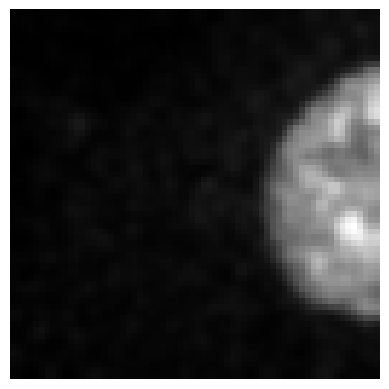
file_path = './_test/HV110_P0500510000.h5/y/1'

im , _ = hdf5_reader()(file_path)
plot_image(im)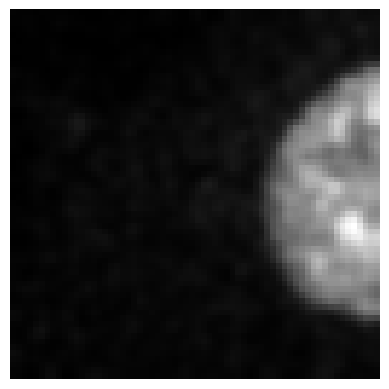
from bioMONAI.core import apply_transforms
from bioMONAI.transforms import Blur, RandFlip
# List of transformations defined from the bioMONAI transforms module
transforms_list = [
Blur(ksize=15, prob=1.0),
RandFlip(prob=1.0, spatial_axis=1, ndim=2)
]data_paths = './data_examples/Confocal_BPAE_B'
# For the sake of simplicity, in this example we use the same folder for ground truth
gt_paths = './data_examples/Confocal_BPAE_B'
output_folder = './_test_tfms'
patch_size = (64,64)
overlap = 0
save_patches_grid(data_paths, gt_paths, output_folder, patch_size, overlap, squeeze_input=True, tfms_after=transforms_list)Processing files: 100%|██████████| 2/2 [00:00<00:00, 20.07it/s]'is_valid' column added to train dataframe for validation samples.
Datasets saved to %s ./_test_tfmsfile_path = './_test_tfms/HV110_P0500510000.h5/X/1'
im , _ = hdf5_reader()(file_path)
plot_image(im)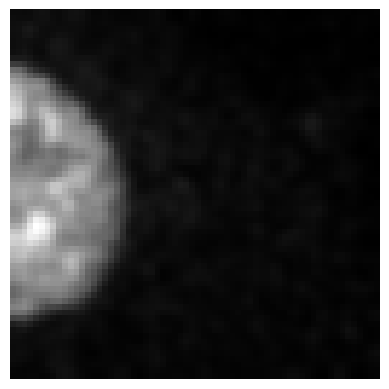
def extract_random_patches(
    data_tuple, # tuple of numpy arrays (input data, ground truth data).
    patch_size, # tuple of integers defining the size of the patches in each dimension.
    num_patches, # number of random patches to extract.
):
Extracts a specified number of random n-dimensional patches from the input data and ground truth data.
Returns: - A tuple of lists containing randomly cropped patches as numpy arrays (input_patches, gt_patches).
def save_patches_random(
    data_paths, # Path to folder or list of paths to data files (n-dimensional data).
    gt_paths, # Path to folder or list of paths to ground truth (gt) files (n-dimensional data).
    output_folder, # Path to the folder where the HDF5 files will be saved.
    patch_size, # tuple of integers defining the size of the patches.
    num_patches, # number of random patches to extract per file.
    threshold:NoneType=None, # If provided, patches with a mean value below this threshold will be discarded.
    squeeze_input:bool=True, # If True, squeezes singleton dimensions in the input data.
    squeeze_patches:bool=False, # If True, squeezes singleton dimensions in the patches.
    csv_output:bool=True, # If True, a CSV file listing all patch paths is created.
    train_test_split_ratio:float=0.8, # Ratio of data to split into train and test CSV files (e.g., 0.8 for 80% train).
    tfms_before:List=None, # List of transforms to apply before extracting patches.
    tfms_after:List=None, # List of transforms to apply after extracting patches.
):
Loads n-dimensional data from data_folder and gt_folder, generates random patches, and saves them into individual HDF5 files. Each HDF5 file will have datasets with the structure X/patch_idx and y/patch_idx.
data_paths = './data_examples/Confocal_BPAE_B'
gt_paths = './data_examples/Confocal_BPAE_B'
output_folder = './_test2'
patch_size = (64,64)
num_patches= 2
save_patches_random(data_paths, gt_paths, output_folder, patch_size, num_patches, squeeze_input=True, tfms_before=[Blur(ksize=15)])
Processing files: 0%| | 0/2 [00:00<?, ?it/s]/tmp/ipykernel_14678/778607178.py:52: DeprecationWarning: __array__ implementation doesn't accept a copy keyword, so passing copy=False failed. __array__ must implement 'dtype' and 'copy' keyword arguments. To learn more, see the migration guide https://numpy.org/devdocs/numpy_2_0_migration_guide.html#adapting-to-changes-in-the-copy-keyword
data = np.array(image_reader(data_file_path))
/tmp/ipykernel_14678/778607178.py:53: DeprecationWarning: __array__ implementation doesn't accept a copy keyword, so passing copy=False failed. __array__ must implement 'dtype' and 'copy' keyword arguments. To learn more, see the migration guide https://numpy.org/devdocs/numpy_2_0_migration_guide.html#adapting-to-changes-in-the-copy-keyword
gt = np.array(image_reader(gt_file_path))
Processing files: 100%|██████████| 2/2 [00:00<00:00, 29.56it/s]CSV files saved to: ./_test2/train_patches.csv and ./_test2/test_patches.csvfile_path = './_test2/HV110_P0500510000_random_patches.h5/X/1'
im , _ = hdf5_reader()(file_path)
plot_image(im)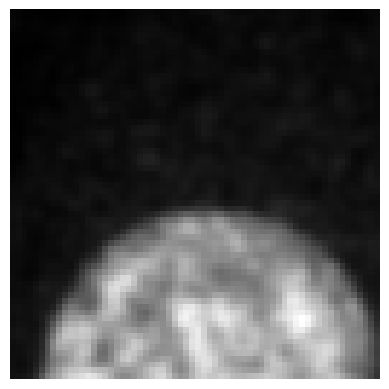
file_path = './_test2/HV110_P0500510000_random_patches.h5/y/1'

im , _ = hdf5_reader()(file_path)
plot_image(im)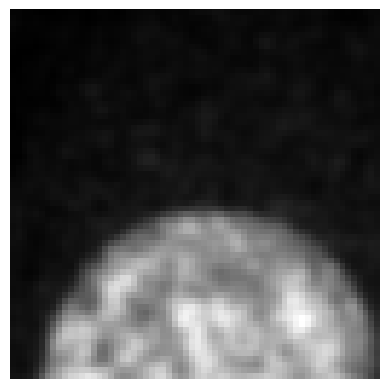
def dict2string(
    d, # The dictionary to convert.
    item_sep:str='_', # The separator between dictionary items (default is ", ").
    key_value_sep:str='', # The separator between keys and values (default is ": ").
    pad_zeroes:NoneType=None, # The minimum width for integer values, padded with zeros. If None, no padding is applied.
):
Transforms a dictionary into a string with customizable separators and optional zero padding for integers.
Returns the formatted dictionary as a string.
my_dict = {'C': 2, 'Z': 30, 'S': 1}
result = dict2string(my_dict, pad_zeroes=3)
print(result)
C002_Z030_S001
def remove_singleton_dims(
    substack, # The extracted substack data.
    order, # The dimension order string (e.g., 'CZYX').
):
Remove dimensions with a size of 1 from both the substack and the order string.
Returns:
substack (np.array): The substack with singleton dimensions removed.
new_order (str): The updated dimension order string.
def extract_substacks(
    input_file, # Path to the input OME-TIFF file.
    output_dir:NoneType=None, # Directory to save the extracted substacks. If a list, the substacks will be saved in the corresponding subdirectories from the list.
    indices:NoneType=None, # A dictionary specifying which indices to extract. Keys can include 'C' for channel, 'Z' for z-slice, 'T' for time point, and 'S' for scene. If None, all indices are extracted.
    split_dimension:NoneType=None, # Dimension to split substacks along. If provided, separate substacks will be generated for each index in the split_dimension. Must be one of the keys in indices.
    squeeze_dims:bool=True, # Dimension to squeeze substacks along.
    kwargs:VAR_POSITIONAL
):
Extract substacks from a multidimensional OME-TIFF stack using AICSImageIO.
output_dir = "./_test_folder/"
subdirs = [output_dir + folder for folder in ["channel_0", "channel_1", "channel_2"]]
subdirs
['./_test_folder/channel_0',
'./_test_folder/channel_1',
'./_test_folder/channel_2'][os.path.join([output_dir][0], f"{subdirs[0]}_{ii}") for ii in range(2)]['./_test_folder/./_test_folder/channel_0_0',
'./_test_folder/./_test_folder/channel_0_1']filename = './data_examples/2155a4fe_3500000635_100X_20170227_E08_P21.ome.tiff'
# This extracts a single substack for channel 0, z-slice 5, and time point 0.
extract_substacks(filename, output_dir=output_dir, indices={"C": 0, "Z": range(35), "T": 0})Attempted file (/home/biagio/bioMONAI/nbs/data_examples/2155a4fe_3500000635_100X_20170227_E08_P21.ome.tiff) load with reader: <class 'bioio_ome_tiff.reader.Reader'> failed with error: bioio-ome-tiff does not support the image: '/home/biagio/bioMONAI/nbs/data_examples/2155a4fe_3500000635_100X_20170227_E08_P21.ome.tiff'. Failed to parse XML for the provided file. Error: not well-formed (invalid token): line 1, column 6
Attempted file (/home/biagio/bioMONAI/nbs/data_examples/2155a4fe_3500000635_100X_20170227_E08_P21.ome.tiff) load with reader: <class 'bioio_ome_tiff.reader.Reader'> failed with error: bioio-ome-tiff does not support the image: '/home/biagio/bioMONAI/nbs/data_examples/2155a4fe_3500000635_100X_20170227_E08_P21.ome.tiff'. Failed to parse XML for the provided file. Error: not well-formed (invalid token): line 1, column 6
The image ends with .ome.tiff, which might indicate an OME-TIFF file format. You might want to install the `bioio-ome-tiff` plug-in for improved metadata Processing.You can also use 'bioio.plugin_feasibility_report(image)' method to check if a specific image can be handled by the available plugins.Extracted substack saved to: ./_test_folder/2155a4fe_3500000635_100X_20170227_E08_P21_substack_C0_Zrange(0, 35)_T0.ome.tiff# This extracts substacks for each channel (`C`) and saves them in separate subfolders named "C_0", "C_1", "C_2", etc.
extract_substacks(filename, output_dir=[output_dir], indices={"C": [0, 1, 2], "Z": 5, "T": 0}, split_dimension="C")Attempted file (/home/biagio/bioMONAI/nbs/data_examples/2155a4fe_3500000635_100X_20170227_E08_P21.ome.tiff) load with reader: <class 'bioio_ome_tiff.reader.Reader'> failed with error: bioio-ome-tiff does not support the image: '/home/biagio/bioMONAI/nbs/data_examples/2155a4fe_3500000635_100X_20170227_E08_P21.ome.tiff'. Failed to parse XML for the provided file. Error: not well-formed (invalid token): line 1, column 6
Attempted file (/home/biagio/bioMONAI/nbs/data_examples/2155a4fe_3500000635_100X_20170227_E08_P21.ome.tiff) load with reader: <class 'bioio_ome_tiff.reader.Reader'> failed with error: bioio-ome-tiff does not support the image: '/home/biagio/bioMONAI/nbs/data_examples/2155a4fe_3500000635_100X_20170227_E08_P21.ome.tiff'. Failed to parse XML for the provided file. Error: not well-formed (invalid token): line 1, column 6
The image ends with .ome.tiff, which might indicate an OME-TIFF file format. You might want to install the `bioio-ome-tiff` plug-in for improved metadata Processing.You can also use 'bioio.plugin_feasibility_report(image)' method to check if a specific image can be handled by the available plugins.Extracted substack saved to: ./_test_folder/C_0/2155a4fe_3500000635_100X_20170227_E08_P21_substack_C0_Z5_T0.ome.tiff
Extracted substack saved to: ./_test_folder/C_1/2155a4fe_3500000635_100X_20170227_E08_P21_substack_C1_Z5_T0.ome.tiff
Extracted substack saved to: ./_test_folder/C_2/2155a4fe_3500000635_100X_20170227_E08_P21_substack_C2_Z5_T0.ome.tiff# This extracts substacks for each channel and saves them in directories "channel_0", "channel_1", and "channel_2".
extract_substacks(filename, output_dir=subdirs, indices={"C": [0, 1, 2], "Z": 5}, split_dimension="C")Attempted file (/home/biagio/bioMONAI/nbs/data_examples/2155a4fe_3500000635_100X_20170227_E08_P21.ome.tiff) load with reader: <class 'bioio_ome_tiff.reader.Reader'> failed with error: bioio-ome-tiff does not support the image: '/home/biagio/bioMONAI/nbs/data_examples/2155a4fe_3500000635_100X_20170227_E08_P21.ome.tiff'. Failed to parse XML for the provided file. Error: not well-formed (invalid token): line 1, column 6
Attempted file (/home/biagio/bioMONAI/nbs/data_examples/2155a4fe_3500000635_100X_20170227_E08_P21.ome.tiff) load with reader: <class 'bioio_ome_tiff.reader.Reader'> failed with error: bioio-ome-tiff does not support the image: '/home/biagio/bioMONAI/nbs/data_examples/2155a4fe_3500000635_100X_20170227_E08_P21.ome.tiff'. Failed to parse XML for the provided file. Error: not well-formed (invalid token): line 1, column 6
The image ends with .ome.tiff, which might indicate an OME-TIFF file format. You might want to install the `bioio-ome-tiff` plug-in for improved metadata Processing.You can also use 'bioio.plugin_feasibility_report(image)' method to check if a specific image can be handled by the available plugins.Extracted substack saved to: ./_test_folder/channel_0/2155a4fe_3500000635_100X_20170227_E08_P21_substack_C0_Z5.ome.tiff
Extracted substack saved to: ./_test_folder/channel_1/2155a4fe_3500000635_100X_20170227_E08_P21_substack_C1_Z5.ome.tiff
Extracted substack saved to: ./_test_folder/channel_2/2155a4fe_3500000635_100X_20170227_E08_P21_substack_C2_Z5.ome.tiff