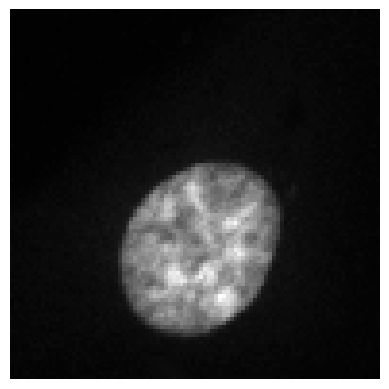
:param data: Image data (numpy array, tensor, or AICSImage) :param file_path: Path to save the image :param format: Format to save the image in (default is png)
Attempted file (/home/biagio/bioMONAI/nbs/data_examples/example_tiff.tiff) load with reader: <class 'bioio_ome_tiff.reader.Reader'> failed with error: bioio-ome-tiff does not support the image: '/home/biagio/bioMONAI/nbs/data_examples/example_tiff.tiff'. Failed to parse XML for the provided file. Error: no element found: line 1, column 0
Image successfully saved to ./data_examples/output_from_numpy.tiff
Image successfully saved to ./data_examples/output_from_tensor.tiff
Image successfully saved to ./data_examples/output_from_tiff.png
Image Readers
It uses helper functions such as _load_and_preprocess and _multi_sequence to load and preprocess biological images.
def split_path( file_path, # The path to the file to split exts:(<class'fastcore.foundation.L'>, <class'list'>)=['.ome.tiff', '.tiff', '.tif', '.png'], # List of filename extensions):
def split_hdf_path( file_path, # The path to the HDF5 file to split hdf5_exts:(<class'fastcore.foundation.L'>, <class'list'>)=['.h5', '.hdf5'], # List of filename extensions):
def hdf5_reader( dataset:NoneType=None, # The dataset to load patch:int=0, # The patch to load from the dataset hdf5_exts:(<class'fastcore.foundation.L'>, <class'list'>)=['.h5', '.hdf5'], # List of filename extensions):
Initialize self. See help(type(self)) for accurate signature.
Images can be loaded by explicitly writing dataset name and path number…
def image_reader( file_path:(<class'str'>, <class'pathlib.Path'>, <class'fastcore.foundation.L'>, <class'list'>), # Path to the image dtype:_TensorMeta=Tensor, # Datatype for the return value. Defaults to torchTensor only_tensor:bool=True, # To return only an image tensor kwargs:VAR_KEYWORD):
Loads and preprocesses a medical image.
Args: file_path: Path to the image. Can be a string, Path object or a list. dtype: Datatype for the return value. Defaults to torchTensor. reorder: Whether to reorder the data to be closest to canonical (RAS+) orientation. Defaults to False. resample: Whether to resample image to different voxel sizes and image dimensions. Defaults to None. only_tensor: To return only an image tensor. Defaults to True.
Returns: The preprocessed image. Returns only the image tensor if only_tensor is True, otherwise returns original image, preprocessed image, and original size.